
30 free processing minutes — no credit card
Turn your weekly YouTube episode into 3 Shorts ready to post
Paste a podcast, interview, or talking-head episode. RoarCut finds the strongest moments, reframes the speaker, adds animated captions, and prepares up to 3 vertical clips.
Process up to 30 minutes of source video free. No credit card required.
- per source video
- Up to 3 clips
- to try RoarCut
- 30 free minutes
- on exported clips
- No watermark
- when processing fails
- Minutes refunded
Watch it work on a real episode
This is an actual RoarCut job — an hour-long podcast in, and the exact moment it found, reframed, and captioned. Nothing staged.
Source: The Really Good Podcast | Sukihana ↗
One long, speech-focused podcast with the strongest moments still buried inside.
 0:36
0:36 0:45
0:45 0:45
0:45Three vertical clips, reframed around the speaker and captioned for direct publishing.
I'm not confusing nothing, because you don't know.
You thought that all I was was a magician or whatever.
I said musician, not magician.
I don't think. I know.
Suki, I said musician. And I think you are a musician.
No baby, I do music.
Finds the moment in an hour of talk
RoarCut scored the transcript of this 59-minute episode and pulled the exchange at 04:26 — the punchline, not the noise. These are the real lines.
Reframes the shot automatically
The actual 16:9 source frame from that moment, and the 9:16 crop RoarCut locks on the speaker. No timeline, no keyframes.
Captions it word-by-word
Karaoke captions with the clip's real word timings including the dramatic pause. Rendered exactly like the finished clip.
The Really Good Podcast · 59:45 episode
9.30:368.80:457.90:45Delivers three ready-to-post clips
All three clips from this one episode — moments found at 04:26, 22:51, and 55:44, each reframed, captioned, and ready to download.
I built RoarCut because creating short clips from long videos took too much repetitive editing. The goal is simple: paste a link, let RoarCut find the moments, and download clips you can publish.
A note from the founder

From YouTube link to finished clips in 3 steps
No timeline, no keyframes, no export settings. Paste a link and come back to finished clips.
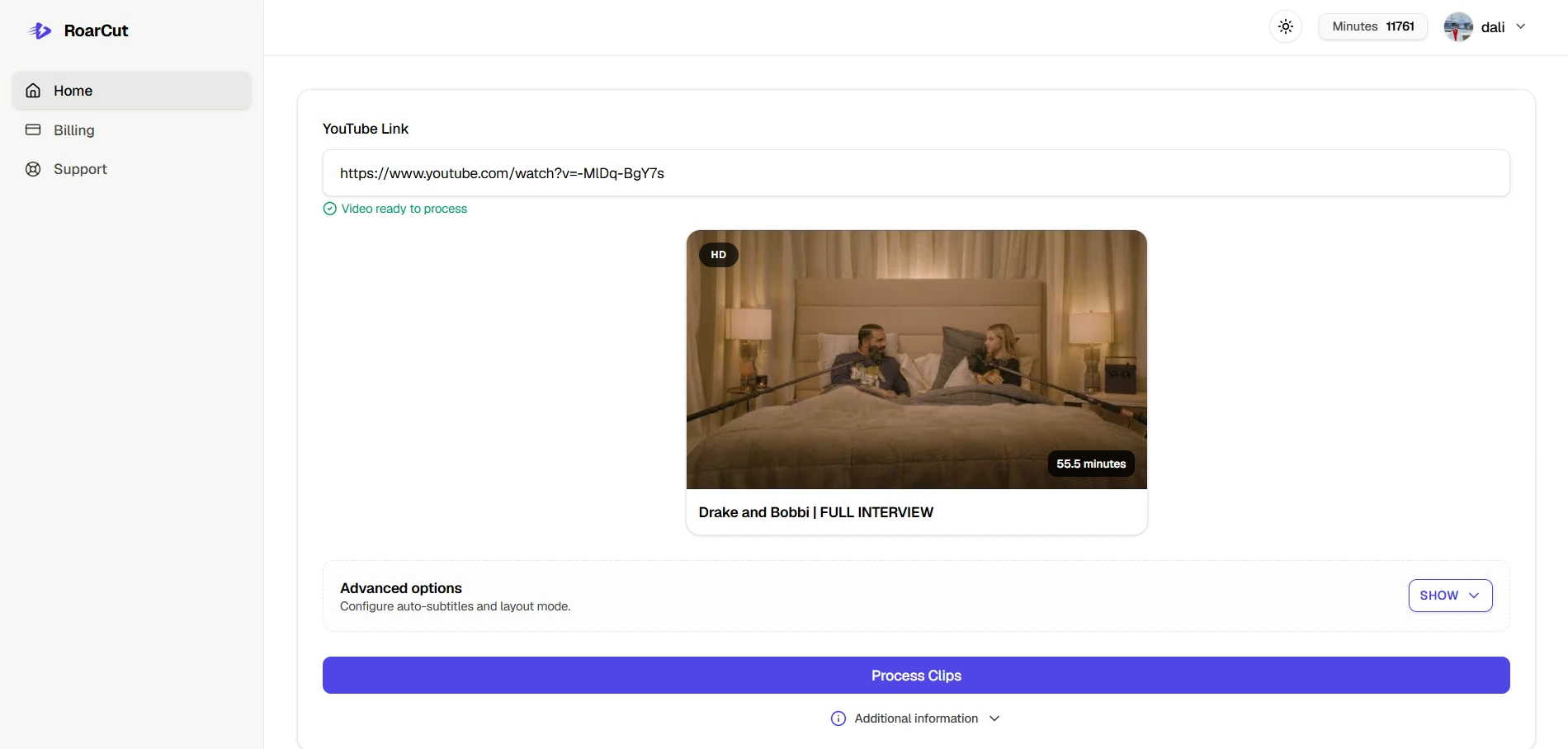
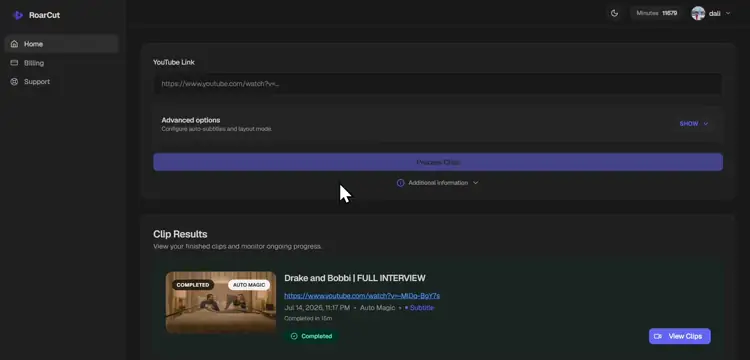
1. Paste a YouTube link
Add a public or supported YouTube video you have permission to process.
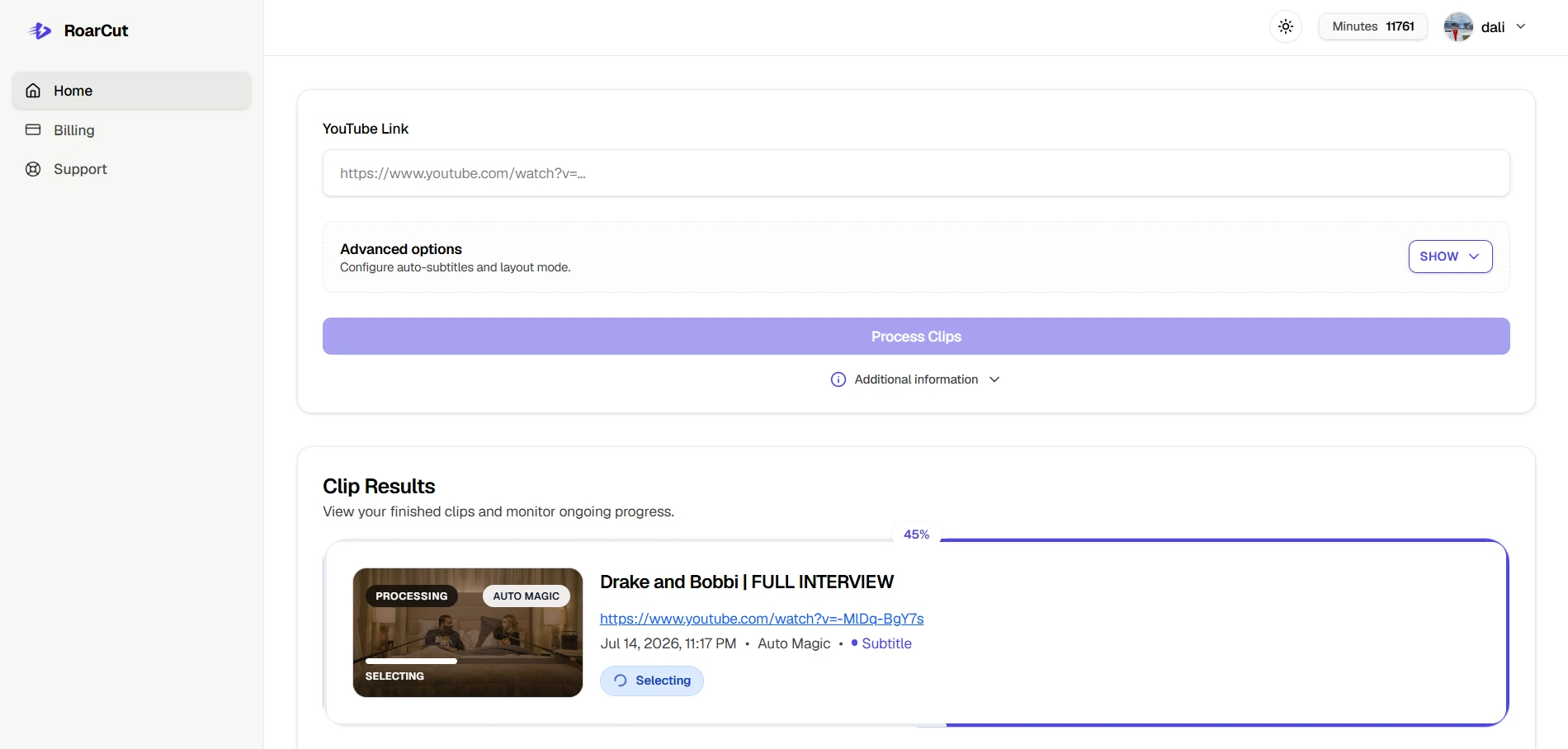
2. Let RoarCut create the clips
RoarCut analyses the content, selects moments, reframes the video, and adds captions.
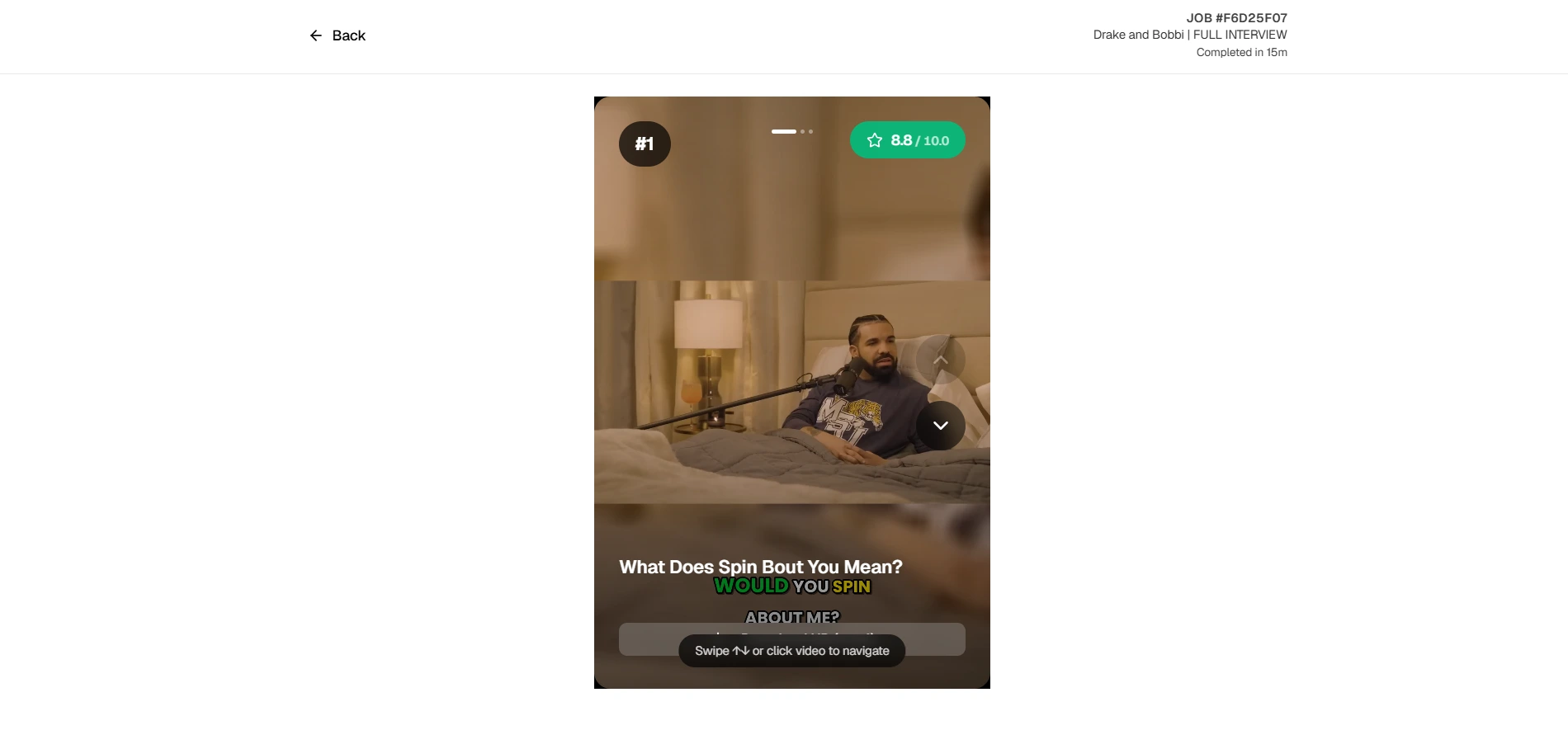
3. Review and publish
Preview each clip, then publish directly to YouTube or download the MP4.


Built for spoken long-form content
RoarCut works best with podcasts, interviews, educational videos, commentary, webinars, sports and talking-head content.
- Input
- YouTube links
- Output
- Vertical MP4
- Format
- 9:16
- Captions
- Automatically generated
- Clips
- Up to 3 per source video
- Languages
- English
- Video length
- 5–90 minutes
- Watermark
- None, including free exports
Public videos
Supported
Unlisted videos
Supported when accessible by link
Livestream recordings
Supported after the recording is available
Videos without transcripts
Supported using audio transcription
Uploaded local files
Not currently supported
See clips created with RoarCut
Examples generated from podcasts, interviews, commentary, and sports videos.
Drake reveals his government name and why he uses
From: Drake and Bobbi | FULL INTERVIEW
View original videoHamilton's Penalty, Norris's Mishap
From: Race Highlights | 2026 British Grand Prix
View original videoShocking $843 Pizza Slice Price!
From: I Investigated Restaurants That Are Disappearing
View original videoBurger name joke, hilarious!
From: I ORDERED THE BIGGEST BURGER IN THE CZECH REPUBLIC
View original videoDrake reveals his government name and why he uses
From: Drake and Bobbi | FULL INTERVIEW
View original videoHamilton's Penalty, Norris's Mishap
From: Race Highlights | 2026 British Grand Prix
View original videoShocking $843 Pizza Slice Price!
From: I Investigated Restaurants That Are Disappearing
View original videoBurger name joke, hilarious!
From: I ORDERED THE BIGGEST BURGER IN THE CZECH REPUBLIC
View original videoDrake reveals his government name and why he uses
From: Drake and Bobbi | FULL INTERVIEW
View original videoHamilton's Penalty, Norris's Mishap
From: Race Highlights | 2026 British Grand Prix
View original videoShocking $843 Pizza Slice Price!
From: I Investigated Restaurants That Are Disappearing
View original videoBurger name joke, hilarious!
From: I ORDERED THE BIGGEST BURGER IN THE CZECH REPUBLIC
View original videoDrake reveals his government name and why he uses
From: Drake and Bobbi | FULL INTERVIEW
View original videoHamilton's Penalty, Norris's Mishap
From: Race Highlights | 2026 British Grand Prix
View original videoShocking $843 Pizza Slice Price!
From: I Investigated Restaurants That Are Disappearing
View original videoBurger name joke, hilarious!
From: I ORDERED THE BIGGEST BURGER IN THE CZECH REPUBLIC
View original videoSkip the repetitive editing work
| Without RoarCut | With RoarCut |
|---|---|
| Watch the full recording | AI analyses the content |
| Search manually for moments | Strong moments are selected |
| Crop every clip to vertical | Automatic 9:16 reframing |
| Write and time captions | Animated captions included |
| Export clips one by one | Clips are ready to download |
Spend your time publishing and growing—not cutting the same video repeatedly.
Simple minute-based pricing
A plan that grows with your publishing schedule
Pay only for source-video processing time. Every new account starts with 30 minutes—enough to test a representative episode.
All plans include the same core features. Choose based on how many source-video minutes you process each month.
180 processing minutes
About 3 hours of source video
Approximately $5 per processed hour
- Up to 3 clips per processed video
- Automatic captions
- 9:16 reframing
- MP4 downloads
400 processing minutes
About 6 hours 40 minutes of source video
Approximately $4.35 per processed hour
- Up to 3 clips per processed video
- Automatic captions
- 9:16 reframing
- MP4 downloads
1,000 processing minutes
About 16 hours 40 minutes of source video
Approximately $3.54 per processed hour
- Up to 3 clips per processed video
- Automatic captions
- 9:16 reframing
- MP4 downloads
Need more minutes occasionally?
Buy one-time processing minutes without changing your subscription.
- Expiration
- Top-up minutes never expire
- Subscription
- No subscription required
- Usage order
- Used after monthly minutes
- Monthly rollover
- Unused plan minutes do not carry over
Quick Top-Up
30 minutes · $5 once
Creator Top-Up
90 minutes · $12 once
Pro Top-Up
180 minutes · $19 once
Already have an account? Manage your plan and minutes
Frequently Asked Questions
Have other questions? Contact us at support@roarcut.app
What does one processing minute mean?
One processing minute covers one started minute of source video. For example, a 10-minute-and-20-second video uses 11 processing minutes.
How many clips does RoarCut create from one video?
RoarCut creates up to three clips from each processed video. The number may vary when the source does not contain enough suitable moments.
What types of videos work best?
RoarCut works best with speech-focused content such as podcasts, interviews, educational videos, commentary, webinars, sports, and talking-head videos. Videos with little dialogue may produce less useful results.
Which languages are supported?
English is currently the reliably supported language for transcription, moment selection, and captions.
Does RoarCut work with unlisted YouTube videos?
Yes. Unlisted videos are supported as long as they are accessible through the YouTube link and do not require a private account permission.
What happens if processing fails?
If a job fails because of a RoarCut processing error, the minutes charged for that job are restored automatically. You are not charged for failed platform processing.
Do unused monthly minutes roll over?
No. Monthly plan minutes reset at each successful renewal, and unused minutes do not carry over to the next billing period.
Do top-up minutes expire?
No. Unused top-up minutes do not expire while your account remains available. They are used after any available monthly plan minutes.
Can I cancel at any time?
Yes. You can cancel future renewals from the billing portal at any time. Your cancellation takes effect at the end of the current paid billing period.
Do the exported clips include a watermark?
No. RoarCut exports do not include a watermark, including clips created with free processing minutes.
What is the maximum supported video length?
The maximum supported source-video length is 90 minutes. Source videos must be at least 5 minutes long.
Can I edit the generated clips before downloading?
Not currently. You can choose the reframing and caption style before processing, then preview and download the generated clips when they are ready.
Clip it. Post it. Grow.
Turn your next speech-focused YouTube episode into 3 Shorts ready to post.